Repair Café Waste Diversion Impact Calculator

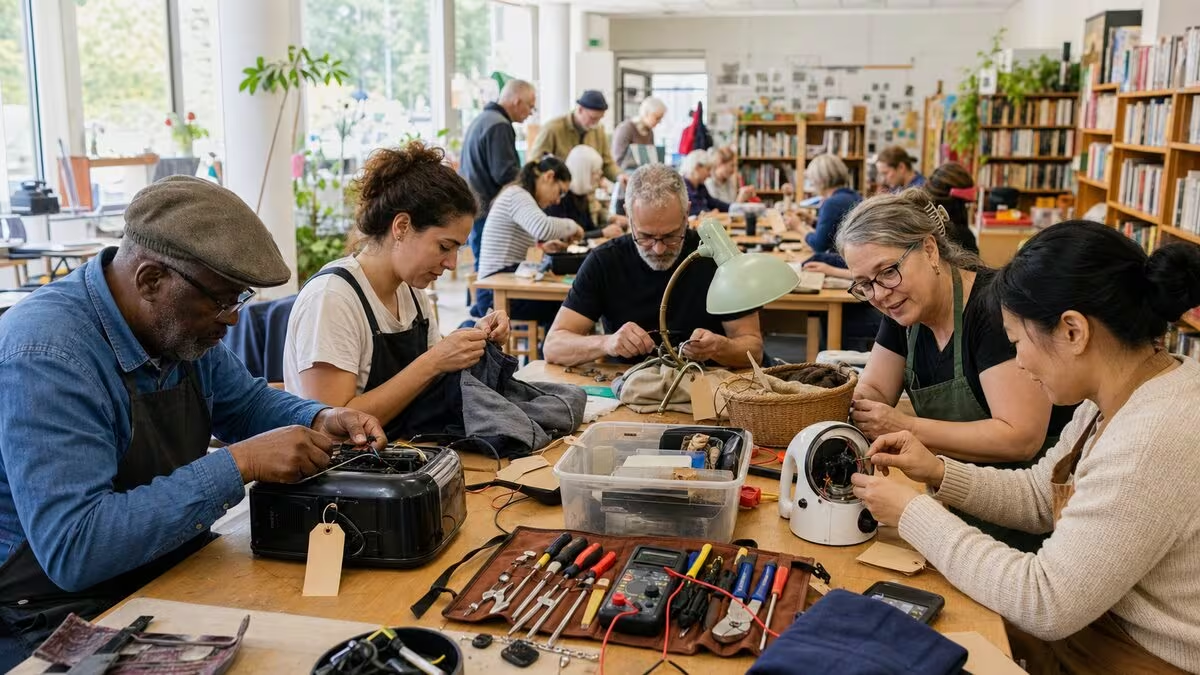
Repair café waste diversion introduction
This Repair Café Waste Diversion Impact Calculator helps you turn the day-to-day flow of a repair café into plain-language numbers for landfill diversion, avoided carbon, volunteer effort, and parts spending. It is aimed at organizers who need quick estimates for grant applications, municipal reports, volunteer briefings, or a season-end summary of how much material the café kept in use.
How to use this repair café waste diversion calculator
Enter the details from your most recent events: how often you run, how many items arrive, how many leave repaired, how heavy the typical item is, what embodied carbon factor you want to use, and how many volunteers are on hand. The calculator then scales those repair café inputs into monthly and annual estimates for diverted material, carbon savings, staffing coverage, triage load, and parts spend.
If your logs are incomplete, start with the best information you have from sign-in sheets, intake forms, or volunteer memory, then sanity-check the results against what your team actually sees at the bench. For a repair café, conservative assumptions are usually better than optimistic ones, especially when the figures will be shown to a funder, council officer, or partner organization.
How this repair café waste diversion calculator works
The tool takes your repair café cadence, the average intake per event, the repair success rate, and the staffing pattern you enter, then converts those monthly assumptions into annual diversion, carbon savings, volunteer hours, and specialist follow-up expectations.
At a high level, the calculator follows these steps:
- Estimate items successfully repaired per event.
- Convert those repairs into diverted weight and avoided embodied carbon.
- Scale the per-event totals across monthly and annual periods.
- Estimate volunteer hours, diagnosis capacity, and whether the bench time is enough for the intake volume.
- Approximate how many items may need specialist follow-up or a second look.
- Compare the parts budget with the number of successful repairs.
Key formulas for repair café diversion
Let:
- E = repair café events per month
- I = average items brought per event
- R = successful repair rate (percent)
- W = average weight per item (kg)
- C = embodied carbon per item (kg CO₂e)
- V = volunteers per event
- H = volunteer shift length (hours)
- D = average diagnosis time per item (minutes)
- T = percentage of items needing specialist follow-up (percent)
- B = parts budget per event ($)
A core calculation in the repair café estimate is the number of items successfully repaired per event:
From that repair count, the calculator derives monthly and annual landfill diversion, carbon savings, and parts spending:
-
Items repaired per month =
Items_repaired,event × E -
Items repaired per year =
Items_repaired,event × E × 12 -
Landfill diversion per month (kg) =
Items_repaired,event × E × W -
Landfill diversion per year (kg) =
Items_repaired,event × E × W × 12 -
Carbon savings per month (kg CO₂e) =
Items_repaired,event × E × C -
Carbon savings per year (kg CO₂e) =
Items_repaired,event × E × C × 12 -
Parts budget per month ($) =
B × E -
Parts cost per successful repair =
(B × E) ÷ items repaired per month
Volunteer hours and triage capacity in repair cafés come from simple time estimates:
- Volunteer hours per event =
V × H - Volunteer hours per month =
V × H × E - Diagnosis capacity per event (items) ≈
(V × H × 60) ÷ D - Items needing specialist follow-up per event =
I × (T ÷ 100)
Understanding landfill diversion and embodied carbon in repair cafés
Landfill diversion in a repair café means the total weight of items that stay in use because your team fixed them instead of sending them to disposal. It is a practical way to summarize how much material the event kept circulating, and it works best when your intake logs or basket weights reflect the actual mix of items you see each month.
Embodied carbon (kg CO₂e) is the greenhouse gas impact associated with producing and distributing an item, expressed as kilograms of carbon dioxide equivalent. When a repair café extends the life of a product, it delays or avoids the need for a replacement, which is why the calculator multiplies your embodied-carbon factor by the number of successful repairs. If you already track different carbon factors for electronics, textiles, or household goods, you can swap those in later for a tighter estimate.
How to interpret your repair café results
In this repair café calculator, the output panels typically show:
- Monthly and annual diverted weight – useful for waste reports, reuse campaigns, and community summaries.
- Monthly and annual carbon savings – a rough climate estimate that works best when your carbon factor matches the items your café actually sees.
- Total volunteer hours – useful for rota planning, recruiting extra repairers, and recognizing contributor time.
- Diagnosis capacity – helps you see whether your intake volume can be assessed within the hours available.
- Specialist follow-ups – shows how many items are likely to need another clinic, a specialist repairer, or a parts search.
- Parts spend – helps you budget for consumables and see how repair throughput affects cost per successful fix.
For a repair café, higher annual diversion usually means your event mix has settled into a reliable routine, your volunteers are comfortable with intake triage, and your item mix includes enough heavier goods to move the totals. Lower figures do not automatically mean failure; they can also point to a newer program, a lighter item mix, a smaller venue, or stricter safety screening. The most useful comparison is against your own past events, not against another group with different repair skills and item types.
Worked example: a three-event repair café month
To see how the repair café calculator behaves, suppose a community group runs:
- 3 repair café events per month (E = 3)
- 48 items brought per event (I = 48)
- 62% successful repair rate (R = 62)
- Average weight 3.2 kg per item (W = 3.2)
- Embodied carbon 45 kg CO₂e per item (C = 45)
- 22 volunteers per event, 4-hour shifts (V = 22, H = 4)
- Average diagnosis time 18 minutes per item (D = 18)
- 22% of items need specialist follow-up (T = 22)
- $260 parts budget per event (B = 260)
Items successfully repaired per event:
Items_repaired,event = 48 × (62 ÷ 100) = 29.76 items, or about 30 items
Diversion, carbon savings, and parts spending per year:
-
Items repaired per year ≈
29.76 × 3 × 12 = 1,071.4 items -
Landfill diversion per year ≈
29.76 × 3 × 3.2 × 12 = 3,428.4 kg(about 3.4 tonnes) -
Carbon savings per year ≈
29.76 × 3 × 45 × 12 = 48,211.2 kg CO₂e(about 48.2 tonnes CO₂e) -
Parts budget per month =
260 × 3 = $780 -
Parts budget per year =
$780 × 12 = $9,360 -
Parts cost per successful repair ≈
$780 ÷ 89.28 = $8.73
Volunteer effort and capacity:
-
Volunteer hours per event =
22 × 4 = 88 hours -
Volunteer hours per month =
88 × 3 = 264 hours -
Theoretical diagnosis capacity per event ≈
(22 × 4 × 60) ÷ 18 ≈ 293 items, comfortably above the 48 items expected.
Items needing specialist follow-up per event:
Specialist items,event = 48 × (22 ÷ 100) = 10.56 items, or about 11 items
Over a year, that is roughly 10.56 × 3 × 12 = 380.2 items where you may want partnerships with specialist repairers or follow-up sessions.
Example scenarios and typical ranges for repair cafés
Use these repair café scenarios as a qualitative sense check rather than a benchmark table that locks you into a single number. The point is to compare how different event styles behave, not to suggest that every repair café should land in the same band.
| Scenario | What the café looks like | What the calculator usually highlights | Best use |
|---|---|---|---|
| Minimal pilot café | A small volunteer team, lighter intake, and plenty of learning by doing. | Results are most sensitive to a few heavy items and to whether repair success has stabilized. | Track several events before using the figures in a public report. |
| Typical neighborhood program | Regular monthly sessions with familiar volunteers and repeat visitors who know the intake process. | The outputs usually settle into a dependable pattern that is useful for grant updates and council summaries. | Compare against your own logs and watch the balance between intake and diagnosis time. |
| Broad repair network | Multiple venues or a higher-volume event series with a wider mix of items. | Diversion, carbon savings, and volunteer hours rise together, but the reliability of the input data matters more. | Separate the results by event type if some sessions handle much heavier goods than others. |
If your numbers look very different from the pattern you expect, first check whether the item mix is unusually heavy, whether the repair rate is changing, or whether one event was much busier than the others. For repair cafés, the shape of the data often matters more than any single annual total.
Assumptions, limitations, and data sources for repair café estimates
Because repair cafés work with mixed items and volunteer-led triage, this calculator keeps the math intentionally simple:
- Average item weight and carbon – A single average value can blur the differences between textiles, appliances, and furniture, so treat mixed-intake results as planning figures rather than exact measurements.
- Repair success is independent per item – The calculation assumes each item has the same chance of being repaired, even though some repair cafés specialize in only a few categories.
- Linear scaling over 12 months – Annual totals assume your repair café keeps the same pace all year, even though holidays, weather, or special drives can change attendance.
- Embodied carbon attribution – The tool treats each successful repair as avoiding replacement impact, but real life-cycle studies may only count the additional life you add.
- Diagnosis time and capacity – The bench-time estimate is a rough planning check; it does not capture breaks, teaching moments, or complicated jobs.
- Parts budget and sourcing – Consumables, donated spares, and locally purchased parts can vary a lot, so treat the spend figure as a planning allowance rather than a fixed fee schedule.
For embodied carbon and typical weights, many repair cafés use published life cycle assessment data, manufacturer environmental product declarations, or local waste audits. If your organization already has category-level factors for common repair items, use those values so the calculator reflects your real item mix more closely.
Using this repair café calculator alongside other resources
This repair café calculator works best as a communication and planning aid rather than a full accounting system. For detailed greenhouse gas reporting, pair it with your local waste methodology, any circular economy guidance you already use, and whatever internal logs you keep on weights, categories, and parts orders.
Pairing the numbers with a few short volunteer or participant stories can make the report more persuasive because it shows both the scale of material kept in use and the community value of the repair café itself.
Mini-game: repair triage bench run
Steer the intake cart toward items that can be fixed or reused, and avoid tickets that would break safety, tracking, or specialist follow-up.
Use pointer movement, arrow keys, W/S, or the lane buttons.
Start the game when you are ready.