Tax Preparer vs Tax Software Cost Calculator

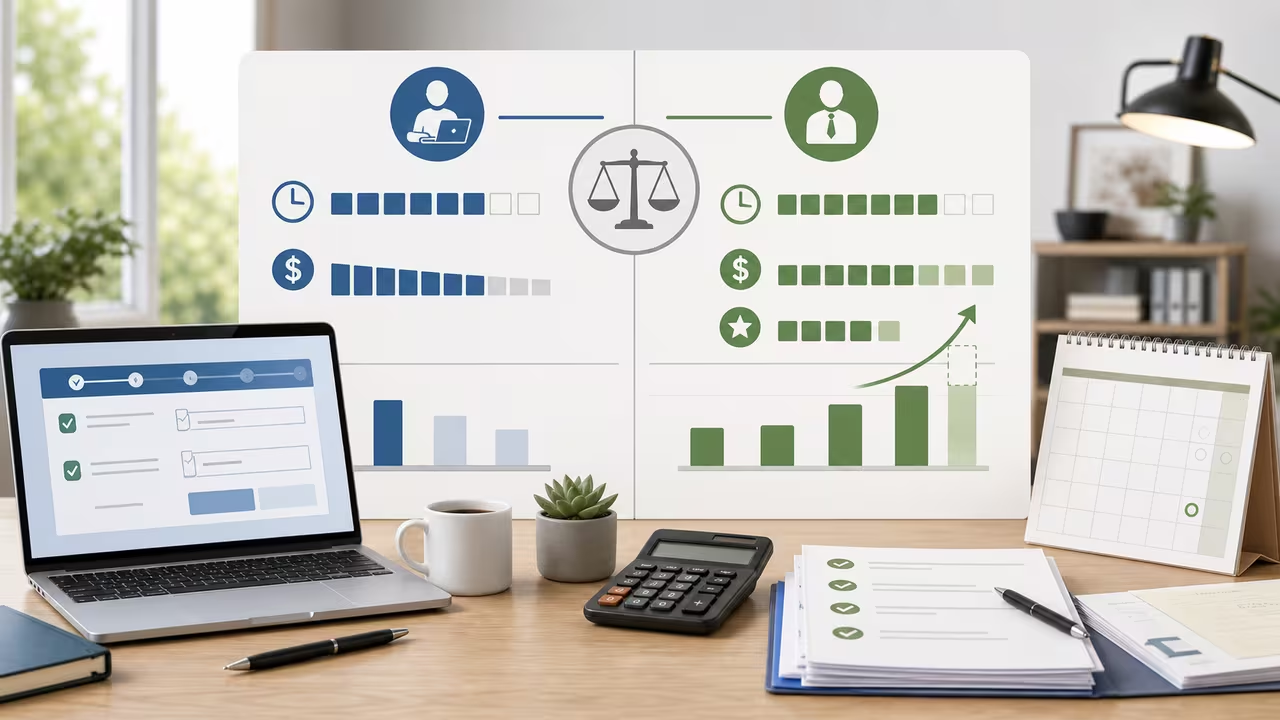
Introduction to choosing between a tax preparer and tax software
This tax preparer vs tax software cost calculator is built for a practical question that comes up every filing season: when does a higher professional fee actually save money? Many people compare only the sticker prices of software and tax preparation. That is a useful starting point, but it leaves out two factors that usually decide the outcome in real life: the value of your time and the possibility that a skilled preparer may identify deductions, credits, or filing details that you would not handle the same way on your own.
This tax filing comparison turns those tradeoffs into numbers. You can enter the amount you expect to pay a preparer, the cost of your software, the hours you would spend filing by yourself, what one hour of your time is worth, and any extra savings you think a professional might deliver. The result is not tax advice and it cannot guarantee a lower bill. Instead, it gives you a disciplined way to compare the total expected cost of two filing paths so you can make a decision that matches your money, schedule, and tolerance for doing the work yourself.
This kind of comparison is especially useful when your return is no longer a quick W-2 filing. A freelance side income, stock sales, rental property, multi-state move, new child, home office deduction, or a year with unusual credits can all increase the time and uncertainty of a DIY return. On the other hand, if your taxes are simple and your records are organized, software may still be the lowest-cost option even after you account for your time.
How to use the tax preparer vs tax software cost calculator
This tax preparer versus software calculator works best when you use realistic estimates instead of best-case guesses. Start by entering the professional preparer fee you actually expect to pay for the return you are filing. If you have a quote from a CPA, EA, local tax office, or independent preparer, use that figure. If federal and state filing are billed separately, combine them so the number reflects your total expected out-of-pocket cost.
Next, enter the tax software cost you would face if you file yourself. That should include more than the cheapest advertised base plan when those extra charges are likely to apply. If you expect to pay for a state module, self-employment upgrade, investment import, audit support, or e-file add-on, include those costs here. Then estimate the hours you would spend gathering forms, reading prompts, entering data, checking carryovers, fixing rejection errors, and submitting the return.
After that, assign a dollar value to your time per hour. Some people use their after-tax hourly pay. Others use their freelance billable rate, what they would pay to outsource a similar task, or simply the amount that makes giving up a weekend feel expensive. Finally, enter the expected extra savings from using a professional. If you believe the preparer will catch deductions or planning opportunities worth about $100 more than your DIY outcome, enter $100. If you do not expect any tax difference, enter $0. Once the calculator updates, compare the total costs, the break-even hourly value, and the recommendation. It is often smart to try a few scenarios so you can see how sensitive the decision is to your assumptions.
Tax filing cost definitions used by this calculator
This tax filing comparison depends on five inputs, and each one represents a different part of the decision. Thinking carefully about the definitions matters because a small change in one assumption can move the result by a meaningful amount. The calculator does not hide any steps; it simply combines the values below in a consistent way.
- Professional preparer fee (P): This is the amount you expect to pay a tax professional to prepare and file your return. Include federal, state, city, or specialty schedules when they are part of the quote.
- Tax software cost (S): This is the cash price of filing yourself with software. Include add-ons such as state returns, self-employment modules, import features, and any support packages you know you would buy.
- Hours you would spend preparing taxes (T): This is not just typing numbers into boxes. It can include collecting documents, learning rules, reconciling prior-year details, correcting errors, and waiting through e-file or identity-verification issues.
- Value of your time per hour (R): This converts DIY time into dollars so the software route can be compared fairly with the professional route. There is no single correct number; the best choice is the value that reflects your real tradeoff.
- Expected extra savings from professional (A): This is your estimate of how much better the professional outcome may be compared with DIY software. It can reflect lower tax, a larger refund, or avoided missed opportunities. If you have no reason to expect a difference, use zero.
For this tax preparer versus software calculator, conservative inputs usually produce the most useful answer. If you are unsure whether a preparer will find major extra savings, do not force a large number. Likewise, if you know you dislike filing and it regularly consumes an entire day, do not pretend it only takes an hour. The tool is only as good as the assumptions you give it.
The tax preparer vs software formulas used
This tax filing calculator compares two totals rather than two sticker prices. The self-filing route includes the software cost plus the dollar value of the time you spend completing the return. The professional route includes the preparer fee minus any expected extra savings a professional might produce. Once those two totals are calculated, the difference tells you which option is cheaper under your assumptions.
- Total DIY cost = software cost + (hours × hourly value)
- Total professional net cost = preparer fee − expected extra savings
- Cost difference = DIY total − professional total
In symbols, the calculator sets up the comparison like this:
Solving that tax filing equation for the hourly time value gives the break-even rate:
Rbreak-even = (P − A − S) ÷ T
That break-even number is often the most useful output on the page. If your own hourly time value is higher than the break-even value, hiring a preparer is the lower total-cost choice. If your hourly time value is lower than the break-even value, software stays cheaper. A negative break-even result is also meaningful: it means the professional route is already cheaper even if you treated your DIY time as worth $0 per hour. A very high positive break-even rate points the other way, suggesting software remains cheaper unless your time is extremely valuable or the professional is expected to find much larger savings.
How to interpret the tax filing cost comparison results
This tax preparer versus software results panel shows four numbers that answer slightly different questions. The first is the break-even hourly value, which tells you how expensive your time must be before paying a professional becomes the cheaper option. The second is the total cost if you hire a preparer, which is the fee reduced by any expected extra tax savings. The third is the total cost if you self-file with software, which combines the cash price of the software with the value of the hours you would spend doing the work.
The fourth number, cost difference (DIY minus preparer), is the easiest summary. A positive difference means DIY costs more than hiring the preparer, so the professional route wins by that dollar amount. A negative difference means DIY costs less, so software wins by the absolute value of the difference. If the difference is exactly zero, the calculator is telling you that the two choices are tied under the assumptions you entered.
- If the difference is greater than 0, the professional route is cheaper on a total-cost basis.
- If the difference is less than 0, the software route is cheaper on a total-cost basis.
- If the break-even hourly value is below your own time value, the preparer is likely worth the fee.
- If the break-even hourly value is above your own time value, software is likely the lower-cost choice.
This tax filing result should be interpreted as a planning aid, not a verdict. If the numbers are close, non-financial issues may matter more than the model. Confidence, privacy concerns, support during an IRS notice, stress reduction, or the ability to ask year-round questions can justify a preparer even when software looks slightly cheaper. The opposite can also be true: if you already know your return well and enjoy handling it yourself, software may be the better fit even if the difference is narrow.
Worked example: a $300 tax preparer versus $70 software plan
This tax filing example uses numbers that many households can picture. Suppose a preparer quotes you $300 for the return, while the software package you would need costs $70. You expect the DIY route to take about 10 hours once you include gathering documents, reviewing prompts, and finishing the filing. You also believe a professional may find about $50 in extra savings compared with what you would likely capture on your own.
- Preparer fee (P) = $300
- Software cost (S) = $70
- Hours DIY (T) = 10
- Expected extra savings (A) = $50
Using the tax preparer versus software formula, the break-even hourly value is:
R = (P − A − S) ÷ T = (300 − 50 − 70) ÷ 10 = 180 ÷ 10 = $18/hr
That means the professional route becomes cheaper as soon as you value your own time above $18 per hour. If your time is worth only $12 per hour to you, software would still come out ahead. If your time is worth $30 per hour, the totals become:
- DIY = 70 + (10 × 30) = $370
- Professional = 300 − 50 = $250
- Difference = 370 − 250 = $120
In this worked tax filing example, the calculator would recommend the professional route because DIY costs $120 more after time is valued. The lesson is not that every person should hire a preparer. The lesson is that a seemingly cheaper software option can become more expensive once you count the hours it really takes you to finish the return.
Tax filing scenario comparison table
This tax filing comparison table gives a quick feel for how the break-even hourly value moves when fees, time, and expected savings change. Lower break-even values make it easier for a preparer to be worth the cost. Higher break-even values mean software stays economical unless your time is especially valuable.
| Preparer fee (P) | Software cost (S) | Hours DIY (T) | Extra savings (A) | Break-even ($/hr) |
|---|---|---|---|---|
| $200 | $40 | 5 | $0 | $32.00 |
| $300 | $70 | 10 | $50 | $18.00 |
| $500 | $100 | 15 | $150 | $16.67 |
| $750 | $120 | 20 | $200 | $21.50 |
In these tax filing examples, longer DIY time and larger expected professional savings tend to lower the break-even rate, making professional help easier to justify. Higher preparer fees push in the opposite direction unless the return is complex enough that the professional saves meaningful time or money.
Real-life tax filing situations that can change the outcome
This tax preparer versus software decision becomes more sensitive when your return includes moving parts that software can handle but you still have to understand. Self-employment income, depreciation, estimated payments, Roth conversion reporting, stock basis issues, rental property, backdoor IRA steps, household employee rules, and multi-state filing all increase the chance that your DIY hours will be higher than expected. In those cases, the time input may be the most underestimated line in the calculator.
This tax filing choice can also shift from year to year. A simple W-2 household with one state return may lean strongly toward software one season, then lean toward a preparer the next season because of a home sale, a new business, a large charitable donation carryforward, or a first-time education credit. Even if you normally self-file, it can be reasonable to use a preparer for one unusually complex year and go back to software later.
On the other side, tax software often wins when you already have a clean recordkeeping system, you know your prior-year forms well, and your filing situation has not changed much. In that setting, the DIY hours may be low enough that even a modest preparer fee remains hard to justify. The calculator helps reveal that distinction by forcing each scenario into the same total-cost framework.
Limitations of this tax preparer vs tax software estimate
This tax filing cost estimate is intentionally simple so it can stay practical. It does not try to predict your exact refund, the probability of an audit, or the quality of one preparer compared with another. Instead, it focuses on the economic tradeoff you can estimate before filing: cash paid, time spent, and possible extra savings.
- Estimates, not guarantees: Expected extra savings may turn out to be smaller, larger, or zero. The calculator models a reasonable expectation, not a promise of tax results.
- Time value is personal: Your hourly value may come from wages, business income, family time, or simple convenience. Different people can use different numbers and still be using the tool correctly.
- Fees vary widely: A preparer's price depends on complexity, credentials, location, and how much hand-holding you want. Software pricing also changes quickly once add-ons are included.
- Non-financial value is not fully priced: Peace of mind, year-round planning, representation before tax agencies, and confidence in the return may matter even when the dollar totals are close.
- Penalties and interest are not directly modeled: If you think a professional materially reduces the chance of mistakes or late filing costs, you may reflect some of that in your expected extra savings assumption.
- Hours DIY must be above zero: The break-even formula divides by your estimated filing hours, so the calculator requires a positive time estimate to produce a usable result.
Not tax advice: This tax preparer versus software calculator is for planning and comparison only. If your filing situation is complicated or high-stakes, consider speaking with a qualified tax professional before relying on any estimate.
Tax Filing Path Mini-Game
This optional tax filing mini-game mirrors the calculator's tradeoff: catch time-saving and savings items while avoiding filing snags that make the wrong path more costly.
The game is optional. It reinforces the same tradeoff: time, fee, expected savings, and avoidable friction.