
Estimate your dog or cat’s daily dry-food portion before filling the bowl
Pet-food portions can become confusing when the scoop on the counter, the bag’s feeding chart, and your dog’s or cat’s body condition do not seem to agree. Dry foods vary widely in calorie density, while pets vary in size and daily energy use. A pet that naps most of the day does not use food the same way as one that spends hours walking, playing, or training. For that reason, a cup that suited one recipe, season, or routine may no longer suit the pet in front of you.
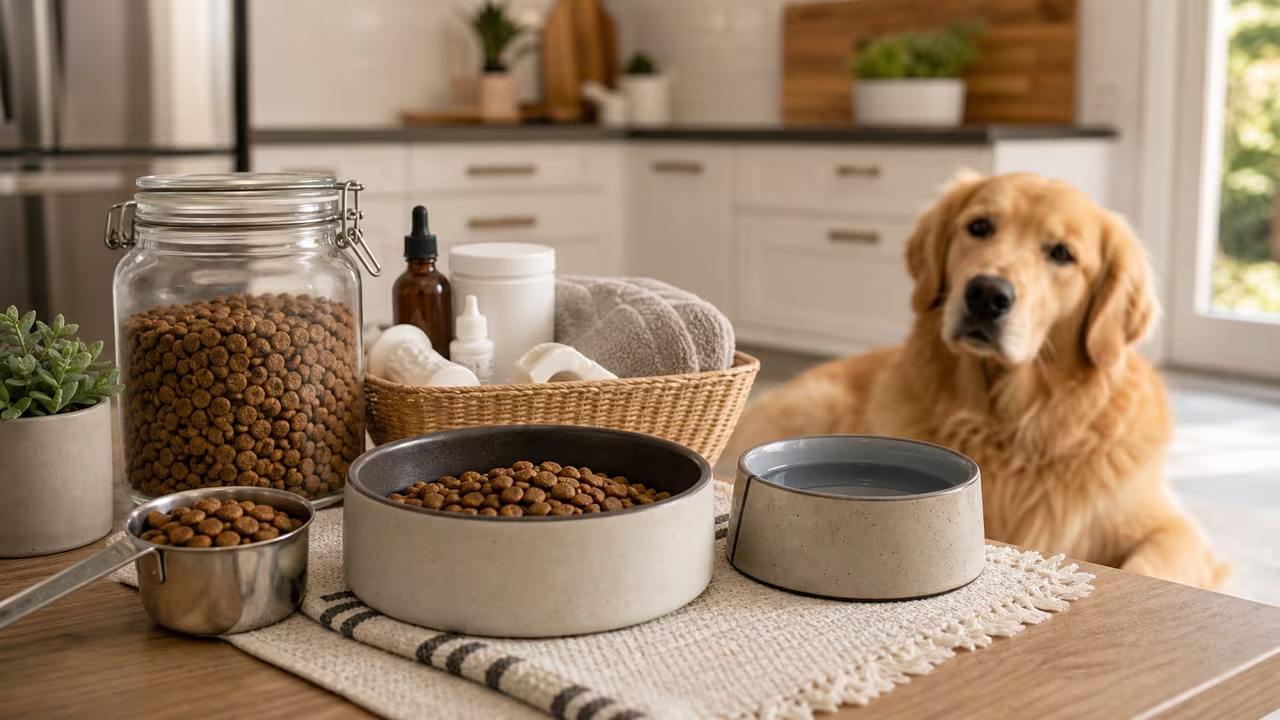
This pet food portion calculator turns body weight, activity, and food calories per cup into a daily dry-food estimate. Rather than judging a serving by how full the bowl looks, it starts with a more useful question: how much energy might this pet need, and how much of this particular food supplies that energy? The result connects the animal’s size and routine to the nutrition information printed on the package.
The estimate is a starting point for healthy adult pets, not a replacement for veterinary care. It can help you compare recipes, review a package guide, and make measured changes instead of relying on habit. The grams result is particularly useful if you use a kitchen scale, because a weighed portion is more repeatable than a loosely filled measuring cup.
Pet food portion inputs: weight, activity, and calorie density
Pet type selects the dry-food density assumption used when the calculator changes cups into approximate grams. The energy estimate itself comes from body weight and the activity multiplier; pet type affects only the grams-per-cup assumption. The calculator uses about 110 grams per cup for dog kibble and 90 grams per cup for cat kibble. If your food package provides its own grams-per-cup value, that package value is more specific than this broad estimate.
Weight (kg) is your pet’s current body weight in kilograms. If you know only pounds, convert the weight before entering it so the energy calculation uses the intended unit. An up-to-date weight matters, especially when a pet is gaining or losing. Because weight sets the baseline for the energy estimate, it is worth measuring rather than approximating.
Activity level multiplier moves the pet-food calculation from a resting-energy baseline to an estimated daily maintenance need. Low can suit calmer indoor pets or pets with limited exercise. Normal is a middle setting for many healthy adults. High is intended for pets with much more activity or energy expenditure. This remains a simplified choice, but it lets you see how a changed routine affects the estimated portion.
- Low can fit a sedentary pet, a pet that spends long periods indoors, or a deliberately quiet routine.
- Normal can fit many adult dogs and cats with regular walks or play but no unusually demanding activity.
- High can fit pets that exercise extensively, play intensely, or consistently maintain condition on larger servings.
Food calories per cup comes from the food package or manufacturer. It is the link between a calorie target and the amount placed in the bowl. A calorie-dense recipe needs fewer cups to supply the same daily energy, while a less calorie-dense recipe needs more volume. If the label reports calories by kilogram, can, or tray rather than by cup, convert it before using this dry-food form. For mixed wet and dry feeding, decide how many daily calories should come from each food and calculate the dry-food share separately.
The form’s default values are examples only. Replace them with your own pet’s current weight, activity choice, and food label information before using the result to plan a portion.
How the calculator estimates daily dog and cat food portions
The pet food calculator first estimates resting energy requirement, commonly called RER, from body weight. The formula used for this starting calorie estimate is:
In this pet-energy formula, W is body weight in kilograms. Weight is raised to 0.75 rather than 1, so estimated energy does not increase in a perfectly straight line with body weight. Larger pets need more total calories than smaller pets, but the relationship is not simply double the body weight and double the food.
The calculator then multiplies RER by the selected activity factor to estimate maintenance energy requirement, or MER:
MER is the estimated daily calorie target used for the dry-food portion. The calculator converts that target to cups by dividing it by the food’s listed calories per cup:
Finally, the calculator estimates grams per day by multiplying daily cups by the selected pet type’s assumed grams per cup:
For a dry-food serving, the practical sequence is straightforward: body weight establishes the RER baseline, activity changes that baseline into MER, and calories per cup determine the serving volume. Cups are useful for scooping; approximate grams are useful for weighing. They describe the same estimated daily target in different units.
Worked dog-food portion example using a 10 kg adult dog
For a 10 kilogram dog on the Normal activity setting with food listed at 350 calories per cup, the calculator estimates RER at roughly 394 kcal per day. Applying the normal activity multiplier of 1.4 produces an MER of about 551 kcal per day. That is the estimated daily energy amount the dry-food portion is intended to provide.
Dividing about 551 kcal by 350 kcal per cup gives approximately 1.57 cups per day. With the dog setting’s 110 grams-per-cup assumption, that is roughly 173 grams per day. Splitting the daily amount into two meals gives about 0.79 cups, or about 87 grams, per meal. This is a reasoned place to begin measuring, not a guarantee that every 10 kg dog needs the identical amount.
The example also demonstrates why the food label matters. If the same dog changed to a kibble containing 450 kcal per cup, its estimated calorie need would remain similar, but the number of cups would fall. A denser recipe should occupy less bowl volume because each cup supplies more energy.
Dog food portion comparison at low, normal, and high activity
For this 10 kilogram dog eating food with 350 kcal per cup, changing only the activity multiplier changes the estimated daily portion as follows:
| Activity setting | MER | Cups per day | Approx. grams per day | What changes |
|---|---|---|---|---|
| Low (1.2) | 472 kcal | 1.35 cups | 148 g | A lower multiplier produces a smaller estimated maintenance portion. |
| Normal (1.4) | 551 kcal | 1.57 cups | 173 g | This is the calculator’s middle activity estimate for the example dog. |
| High (1.6) | 630 kcal | 1.80 cups | 198 g | A higher multiplier increases the daily calories and portion size. |
This dog-food comparison does not choose the right activity row for an individual pet. It shows the direction of the calculator’s inputs: holding weight and food calories constant, a higher activity multiplier produces a larger daily serving. Review the routine and body condition rather than choosing a setting solely because a larger or smaller bowl looks preferable.
Putting a calculated pet-food portion into daily feeding practice
Use the dog or cat food result as a daily starting portion, not as a permanent prescription. Body condition is assessed away from the screen. If a pet gains unwanted weight, reduce intake modestly and monitor the response. If a pet loses weight or appears persistently hungry despite an appropriate body-condition goal, a measured increase may be needed. The calculator provides a consistent baseline from which to make those adjustments.
Use cups when you portion food with a measuring cup, and use grams when you portion with a kitchen scale. Grams are usually more repeatable because kibble shape, packing, and whether a cup is leveled can change a volume measurement. If the bag states calories per gram or specifies grams per cup, use that food-specific information when weighing the serving.
Review the portion before acting on it. Small pets can produce small cup fractions, making a scale especially useful. High-calorie foods may create surprisingly modest-looking cup amounts, while lower-calorie foods may occupy more bowl volume at the same calorie target. Bowl appearance alone does not tell you whether the daily calories are appropriate.
Treats, table food, toppers, and wet food also contribute calories to a pet’s day. Reserve part of the estimated daily calorie target for those extras, then convert only the remainder into dry-food cups or grams. For example, when treats and toppers are regularly fed, the full calculated dry-food amount should not also be added unchanged.
Limits of this adult dog and cat dry-food estimate
This pet food portion calculator is deliberately simple so it can provide a quick estimate for healthy adult dogs and cats eating dry food. It does not separately model puppies, kittens, pregnancy, lactation, recovery after illness, large-breed growth, body-condition scoring, neuter status, indoor-versus-outdoor cat behavior, therapeutic diets, or individual metabolic differences. Those details can materially affect an appropriate feeding plan.
A key limitation is that pet type changes the grams estimate, not the calorie formula. Body weight and activity determine RER and MER for both selections. The dog or cat selection then changes the assumed grams per cup used for the displayed grams value. That approach is useful for a broad dry-food estimate, but it is not a complete species-specific nutrition model.
Ask a veterinarian or veterinary nutrition professional for feeding guidance if a pet is very young, elderly with medical concerns, diabetic, recovering from surgery, underweight, obese, eating a prescription diet, or in any situation where nutrition is part of treatment. The more medically important a weight change is, the less suitable a general calculator becomes as the only source of guidance.
Pet food portion habits that improve the estimate over time
These practical feeding habits keep the calculator’s dog or cat portion estimate connected to current information rather than an old routine:
- Weigh your pet regularly so the body-weight input remains current.
- Check calorie density whenever you change recipe, brand, or food format.
- Divide the daily estimate by the number of meals you actually feed.
- Use a kitchen scale when small changes matter or cup fractions are inconvenient.
- Monitor body condition over time, because your pet’s response shows whether the estimate needs adjustment.
Used this way, the calculator supports a repeatable feeding process: estimate energy from current body size and activity, translate that energy through the calorie density of the food actually served, measure the food in cups or grams, and refine the starting amount according to the pet’s real response.
Bowl Balance: a pet portion-measuring mini-game
This optional pet-food game turns portion measuring into a timing challenge. The moving scoop represents grams about to enter the bowl, while the green band marks the grams still needed. Tap, click, or press Space when the scoop aligns with that band. Accurate bowls build a streak; adding too much resets the bowl.
Optional challenge: the game reads your current calculator inputs when a round starts, so high-calorie food tends to create smaller targets and high activity pushes targets upward. It never changes the calculator math; it simply reinforces why calories per cup and accurate measuring both matter.